AI Automation9 min read
How to Choose Your First CRM (and Wire It So It Stays Clean)
First CRMs fail by over-buying or under-wiring. The four requirements that outrank feature grids, the shortlist logic, the automation that makes adoption automatic, and the hygiene that keeps the data trustworthy.
BurTech Solution
Engineering team
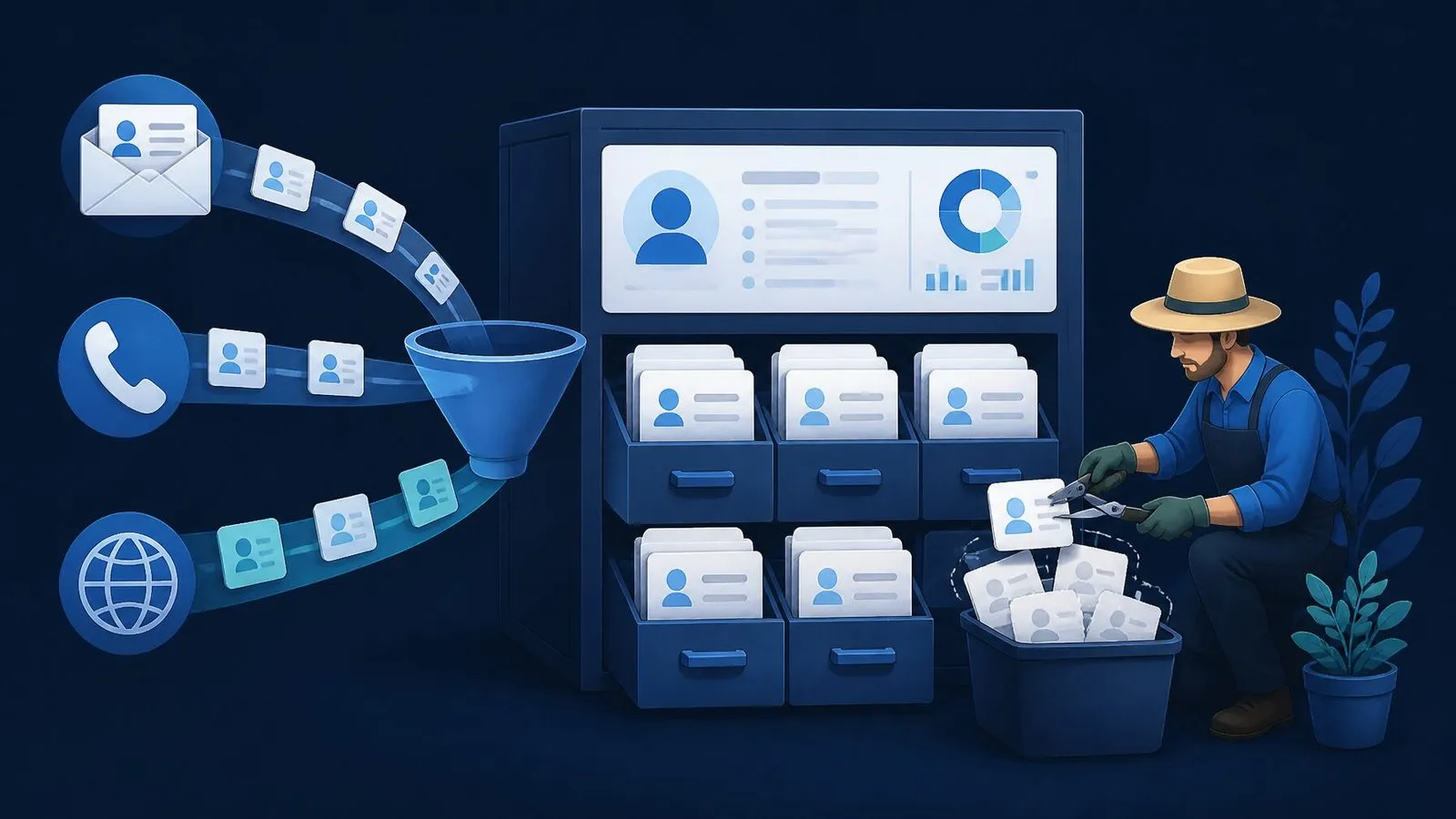
A first CRM fails for one of two reasons, and neither is the software: either it was chosen for the company you hope to become (an enterprise platform bought by a five-person team, abandoned within a quarter), or it was adopted without wiring (a perfectly good tool that nobody enters data into, quietly replaced by the spreadsheet it was meant to retire). Choosing the right CRM is the easy afternoon; making it the place where customer truth actually lives is the project.
This guide covers both halves: the requirements that actually matter for a first CRM, the selection shortlist logic (without turning into a vendor catalogue), the wiring that makes adoption automatic instead of aspirational, and the hygiene rules that keep the database trustworthy after the honeymoon.
What a first CRM is actually for
Strip the category’s marketing and a small business needs exactly four capabilities: one place where every contact and conversation lives (so nothing depends on whose inbox it happened in); a pipeline view of open opportunities (so follow-ups stop relying on memory); the ability to trigger and track follow-up (tasks, reminders, sequences); and reporting honest enough to answer “where do deals come from and where do they die”. Everything else — forecasting suites, territory management, AI opportunity scoring — is enterprise furniture that a first CRM buyer pays for in complexity long before paying for it in cash.
The negative definition matters equally: a CRM is not your email marketing platform (adjacent, often bundled, different job), not your project tool, and not your accounting system. First-time buyers who demand one tool for everything usually get one tool that does everything poorly — the integration-over-consolidation argument from our automation portfolio guide applies squarely here.
The four requirements that outrank the feature grid
- Automatic capture from your real channels. Wherever leads actually arrive — web forms, email, phone, WhatsApp, marketplaces — must flow in without human typing. This is requirement one because it decides adoption (below), and it disqualifies quietly: a CRM with no native or webhook path from your primary channel is a data-entry machine in disguise.
- Native fit with the team’s daily surface. If your team lives in Gmail/Outlook, two-way email sync and a sidebar are non-negotiable; if the phone is the business, call logging is. The CRM that requires leaving the daily surface to “go do CRM” loses to inertia within weeks.
- Pipeline stages that mirror your actual sales motion. If you quote-then-negotiate, stages are enquiry → review → quote sent → won/lost. Rename until a stranger reading the pipeline understands your business; delete every default stage you cannot define with a sentence.
- Clean exit doors. Full export of contacts, companies, deals and activity history in open formats. You are choosing a first CRM precisely because you may outgrow it — the graceful migration you plan for is the one you rarely need urgently.
The shortlist logic (without the catalogue)
Vendor landscapes age badly, so here is the durable sorting logic instead of a brand list. Tier one — the free-forever starters: generous free plans from major platforms; genuinely enough for many teams for a year or more, with the known trade that the vendor’s expansion pricing is the business model — read the paid-tier jump before committing your data gravity. Tier two — the SMB-native tools: products built for exactly your size, typically per-seat priced, pipeline-first, lighter on admin overhead; the sweet spot for most first buyers. Tier three — the enterprise suites: extraordinary power, admin-hungry, and the classic first-CRM abandonment story when bought early. Tier four — the open/self-hosted options: the ownership trade from our platform comparisons in CRM form — flat cost and data sovereignty for operational responsibility.
Shortlist two, maximum three, from the tiers your team shape allows. Then run the only evaluation that predicts anything: the two-week real-traffic trial — wire your actual lead source into each candidate (most connect in an afternoon via native forms or a webhook), run your real pipeline in parallel, and count clicks for the five actions your team does hourly: log a call, advance a deal, find a number, set a reminder, see this week’s follow-ups. The tool that wins the click-count with your real workflow wins — demo impressions are fiction; Tuesday afternoon is data.
Wiring: the part that decides everything
Adoption failure is an automation gap wearing a culture costume. The launch wiring, in order:
- Lead capture → CRM, automatically. Web forms create contacts and deals with source attribution; email enquiries parse or forward in; phone enquiries get a one-tap logging path. The moment a lead can exist outside the CRM, the spreadsheet shadow-system begins — this is the same lead-routing pipeline from our automation guide, with the CRM as its destination.
- Email sync on, calendar sync on, day one. Conversations attach themselves; meetings appear on records. Every automatic attachment is a typing task that never existed.
- Enrichment at the door: company, size, source filled by lookup — not by the salesperson — so records arrive complete enough to act on.
- Follow-up automation with a human gate: new leads get the acknowledgement instantly; sequences send on schedule; anything judgment-shaped queues for approval per the loop-placement rules.
- The exhaust pipes: won deals flow onward automatically — to invoicing, onboarding checklists, the accounting system — so the CRM is a station, not a terminus. Decide per field which system is the source of truth (the registry discipline from the data-entry guide) before the first sync, not after the first conflict.
Wired this way, the CRM fills itself and the team’s only jobs are judgment: advancing stages, writing the note only a human knows, deciding who gets attention today. That is an adoption strategy no pep talk can match — the tool wins because using it is less work than avoiding it.
Hygiene: keeping the database trustworthy
Database decay is the second killer, and its antidote is minimalism plus rhythm:
- Few required fields. Every mandatory field is a tax on every entry; tax only what reports actually use. Name, company, source, stage, next action — the honest core. Optional everything else.
- One owner. A named person owns the CRM’s health: merge rules, stage definitions, the weekly pass. Shared ownership is the spreadsheet’s revenge route.
- The weekly ten minutes: duplicates merged (tools flag them; a human confirms), stale deals aged out of the pipeline into a nurture status, and orphaned tasks reassigned. Ten minutes weekly forever beats a quarterly cleanup day that never comes.
- Lost is a stage, not a deletion. Lost deals with a one-tap reason (“price”, “timing”, “went competitor”) are your cheapest market research and next quarter’s reactivation list.
- Automate the hygiene itself where rules allow: auto-merge exact duplicates, auto-age deals untouched for X days, auto-flag records missing source. The same pipeline discipline, pointed inward.
The rollout: two weeks, not two quarters
- Days 1–2: pipeline stages named in your language; required fields cut to five; the team’s daily-surface integrations connected.
- Days 3–5: capture wiring live (forms, email, phone path); enrichment and acknowledgement automation on; historical contacts imported — but only the live ones (the 2019 conference list stays in the archive; importing junk founds the database on distrust).
- Week 2: the team runs real work in it, with the click-count feedback loop open — friction found this week gets fixed this week, which is the adoption window’s whole secret.
- Day 14: the spreadsheet is made read-only. Not deleted — read-only, with ceremony. The shadow system’s retirement is the launch’s actual finish line.
The three reports that actually run a small business
CRMs ship with report galleries; a first-CRM team needs exactly three, reviewed weekly, and the discipline of ignoring the rest until a question demands them:
- Pipeline by stage, with age. What is open, where it sits, and — the part memory hides — how long it has sat there. Deals aging past your typical cycle are either dying quietly or waiting on a follow-up nobody owns; the report converts both into Monday actions.
- Source → outcome. Where won deals actually came from, over a trailing quarter. This is the report that reallocates marketing budget with evidence — and it only exists if source was captured automatically at the door, which is why wiring step one insisted on attribution.
- Lost reasons, trailing ninety days. The one-tap loss reasons, aggregated. Three months of “price” is a positioning conversation; three months of “timing” is a nurture-sequence build; three months of “went competitor” names the competitor research you owe yourself. Cheapest strategy input in the company.
Everything else — activity leaderboards, forecast projections, conversion waterfalls — becomes meaningful at a scale a first CRM precedes. Three honest reports beaten weekly outperform thirty dashboards admired monthly.
The AI features in this year’s CRMs: a buyer’s filter
Every tier now advertises AI — summaries, drafting, scoring, forecasting — and a first-CRM buyer needs a filter, not a feature tour. The durable sort: AI that removes typing (call summaries attached automatically, email thread digests, meeting notes to fields) extends the wiring principle and is worth real weight in your click-count trial. AI that drafts (follow-up emails, proposals) is useful exactly as far as your approval-gate placement allows — drafts, gated, per the loop rules. AI that predicts (lead scoring, forecast confidence) needs history to learn from; on a day-one database it is astrology with a dashboard, and should influence neither your choice nor your workflow until a few hundred outcomes exist. Weight the first category, gate the second, defer the third — and notice that this is the same competence-versus-accountability sort every AI purchase decision reduces to.
A worked example: the agency’s first month
Composite from our deployments: a six-person design agency, leads via website form and referrals, tracked in a founder’s spreadsheet with follow-ups living in memory. Week one: tier-two CRM chosen after the click-count trial (the runner-up lost on “log a call” — four taps versus one); stages renamed to enquiry → discovery call → proposal → won/lost; form wired through the same lead pipeline pattern as always — enrichment, acknowledgement, owner assignment. Week two: real traffic, two friction fixes (a required field deleted, the proposal-sent stage given an auto-reminder at day five). Day fourteen: spreadsheet made read-only. Month one’s report meeting produced two decisions the spreadsheet era could never have surfaced: referral leads closed at triple the rate of a paid channel (budget moved), and proposals died at day nine on average (follow-up moved to day seven). No feature in any tier’s marketing did that — the wiring and the three reports did.
The five failure smells (check quarterly)
- The shadow spreadsheet returns. Someone “just tracks their own deals” on the side — always a wiring gap or a click-count regression, never really a personality problem. Find the friction, fix it, re-retire the sheet.
- Pipeline inflation. Deals that will never close kept alive to make the pipeline look healthy. Cure: the auto-aging rule plus a culture where moving a deal to lost-with-reason is filing, not failing.
- The note vacuum. Records with perfect automated data and zero human context. The judgment layer — “spoke to Maya, decision after their board meeting” — is the part only people can add; if it is missing, the tool has become a logger, not a memory.
- Report abandonment. The weekly three-report review quietly stops — and with it, the entire point. The review belongs in a standing meeting’s first ten minutes, owned by the CRM owner.
- Field sprawl. Every quarter someone proposes a new required field; a year later entry friction has doubled. The owner’s veto exists for this — fields earn requirement by appearing in a report, or they stay optional.
All five smells share one cure structure: an owner, a rhythm, and the willingness to treat the CRM like the operational system it is rather than the filing cabinet it pretends to be. Which is the whole guide in a sentence.
The bottom line
Choose modestly, wire ambitiously, clean weekly. A first CRM succeeds when the honest requirements pick the tool, automation feeds it without typing, and one owner keeps ten minutes a week for hygiene. Do those three and the platform brand matters far less than every comparison article implies — the system wins because the truth about your customers finally lives in one place that fills itself.
Frequently asked questions
Which CRM is best for a small business?
The one whose free-or-cheap tier connects natively to your lead channels and your inbox, whose pipeline you can rename to match how you sell, and which wins a two-week real-traffic click-count against one rival. That test outperforms every “best CRM” listicle because it is run on your workflow, not a reviewer's.
When is the right time to adopt a CRM?
The week follow-ups start slipping through memory — for most businesses, somewhere around the second salesperson or the fiftieth simultaneous open conversation. Adopting before there is any pipeline to manage adds ceremony; adopting after the leak is visible pays immediately.
Do we need a consultant to set up a first CRM?
For tier-one and tier-two tools, the setup itself is genuinely DIY with this playbook. Where outside help earns its fee is the wiring — capture, enrichment, sync, exhaust pipes — which is standard integration work: our builds start at $1,500 and typically ship inside two weeks, CRM included as destination.
How do we migrate off a first CRM later?
Cleanly, if you chose exit doors at the start: export contacts, companies, deals and activities; map stages to the new pipeline; import in that order; run two weeks parallel. It is a small cousin of the migration discipline — inventory, map, verify — and the reason “clean export” sat in the original four requirements.
What about industry-specific CRMs (real estate, trades, clinics)?
Vertical tools trade breadth for pre-built fit — stages, fields and integrations already shaped to the industry's motion — and for businesses squarely inside the vertical they often win the click-count honestly. The evaluation stays identical: the four requirements, the two-week trial, the exit doors. The one extra check: vertical vendors are smaller companies; confirm export quality and business stability with extra care, because a niche tool's sunset strands data harder than a giant's price hike does. One structural point applies across every choice: the CRM is downstream of your lead generation and upstream of your delivery — its value compounds with the quality of what flows in and out. A modest CRM inside a well-wired system beats a premium CRM floating alone, every time we have measured it.
How do I choose my first CRM?
Four requirements outrank feature lists: your lead channels feed it automatically, it connects natively to your team's inbox, pipeline stages can mirror how you actually sell, and export is clean. Then run a two-week real-traffic trial of two candidates and count clicks on the five daily actions.
Why do CRM implementations fail?
Over-buying (enterprise platforms for small teams) or under-wiring (good tools nobody enters data into). Adoption is an automation problem: when leads, emails and calls arrive without typing, the CRM wins by default.
When should a small business get a CRM?
The week follow-ups start slipping through memory — typically around the second salesperson or fiftieth simultaneous open conversation.
Written by
BurTech Solution
Engineering team
The BurTech Solution engineering team designs, builds and maintains AI automation, ecommerce stores, SaaS and custom software for growing businesses. Everything on this blog comes from work we ship for clients and run ourselves.
Keep reading
More on ai automation.

AI Automation10 min read
Email Automation Beyond Newsletters: Lifecycle Flows for Service Businesses
The newsletter was never the machine. The six lifecycle emails that move service revenue — enquiry, quote, onboarding, delivery, close and dormancy — with timing, human gates, and the event wiring underneath.
Read the article →
AI Automation9 min read
Webhooks Explained for Non-Developers: The Glue Behind Modern Automation
A webhook is a doorbell between apps: push instead of poll. The full plain-English model — events, endpoints, payloads — plus failure handling, security questions worth asking, and where webhooks sit in your automations.
Read the article →
AI Automation10 min read
The Real Cost of Manual Data Entry (and the 3-Week Fix)
Manual data entry hides four costs — hours, errors, latency and morale — and none appear on a P&L. The full cost model with worked examples, and the three-week fix that retires the whole category.
Read the article →