Starter
$9.99/ month
Up to 100 orders with uploads / month
- Native Shopify Files storage
- Automatic EXIF/privacy stripping
- Upload rules by tag, type, vendor & collection
- Fully customisable widget
- Order attachment via metafields

Orders · Customer files · by BurTech Solution
Let customers upload files at checkout — stored in your Shopify Files
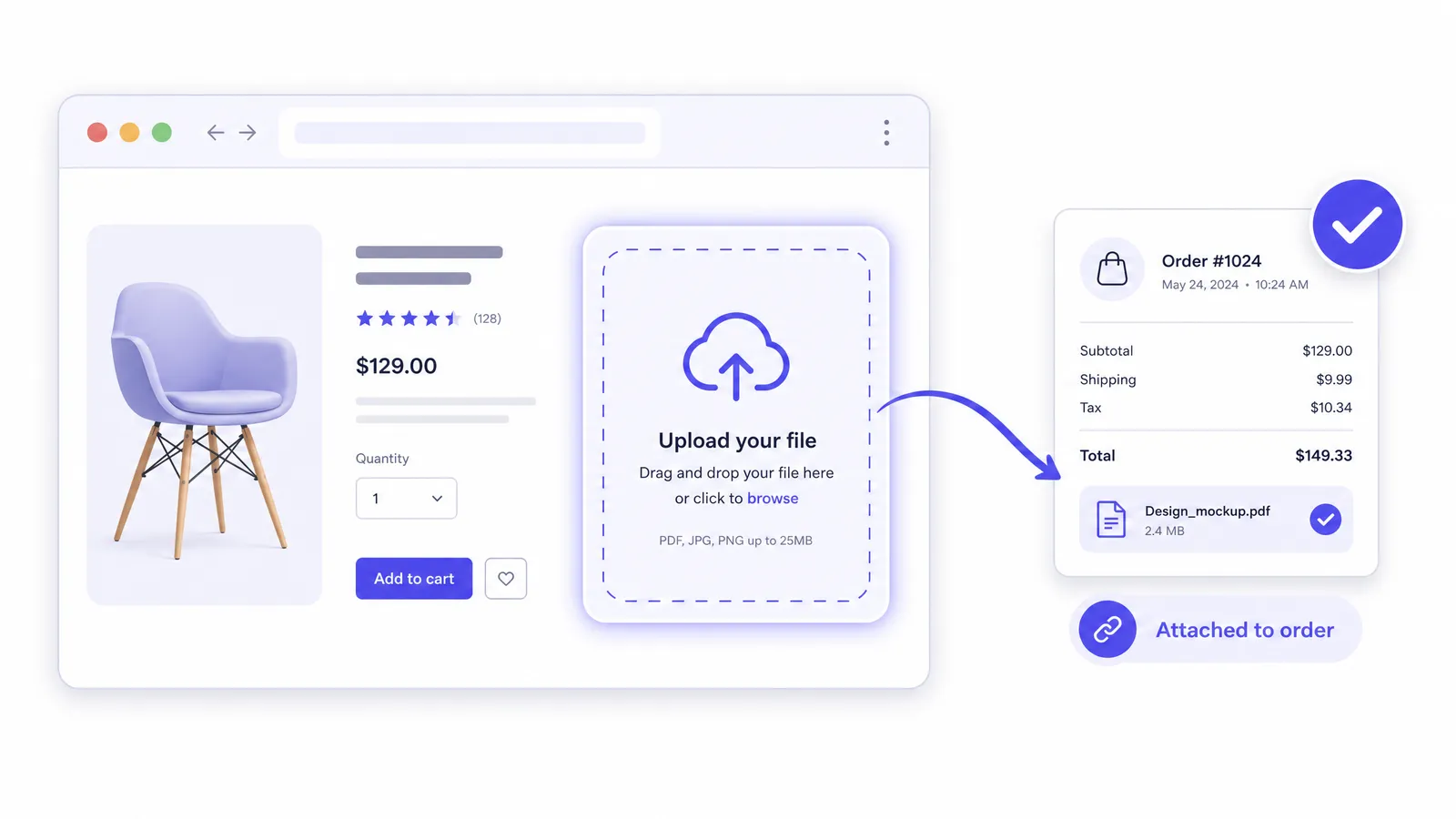
Collect prescriptions, artwork and documents with the order — privacy-first, attached automatically.
Try it
Pick sample files, watch the rules apply, and see what lands on the order in Shopify Admin. Nothing is uploaded.
Storefront widget
Upload your prescription
JPG, PNG or PDF · up to 10.0 MB · max 3 files
Pick a sample file to “drop” it:
What the merchant sees
Order #1042 · Shopify Admin
Once the customer adds to cart, the files appear here as native order metafields — no spreadsheet, no email chasing.
Demo only: nothing is uploaded. In the app, rules decide which products show the field and what they accept.
Merchant problem
Orders that need a document arrive without one — then support chases customers by email, files get matched to orders by hand, and personal data ends up in a third-party bucket.
What File Upload Pro does
One widget, in your control — from where it shows up to what happens to the file. Uploads land in your own Shopify Files, privacy metadata is stripped, and the file is on the order before fulfilment sees it.
Features
No roadmap items on this list — every feature below is live for every merchant.
Uploads go straight into your own Shopify Files library — we never keep a copy. Each file is stored under a randomised name, so its URL gives away nothing about the customer.
EXIF and GPS metadata is stripped from every image before it is stored, protecting customers' location and device data.
Target specific products, tags, product types, vendors or collections — with exclusions — on the product page, the cart, or both, with priority when rules overlap.
Colours, border style, button style, corner radius and every piece of customer-facing text, from the drop instruction to the error message.
Up to 10 files in one go — multi-page documents, several reference photos, or front-and-back artwork.
Uploads map straight onto the order as native metafields, visible in Shopify Admin — no spreadsheets, no manual matching.
Customers who skip the upload at checkout get a secure, per-order link to add their file afterward — no support ticket needed.
Got a file by email instead? Attach it to any order yourself in a couple of clicks.
Mandatory customer data-request and redaction webhooks are built in — deletion requests are handled automatically.
How it works
Create upload rules by product, tag, type, vendor or collection; choose product page, cart or both.
Colours, borders, radius and copy — the widget looks like part of the store.
Up to 10 per upload, images stripped of location metadata, stored in your Shopify Files.
Native order metafields in Shopify Admin, with a post-purchase link for anyone who skipped the step.
Screenshots
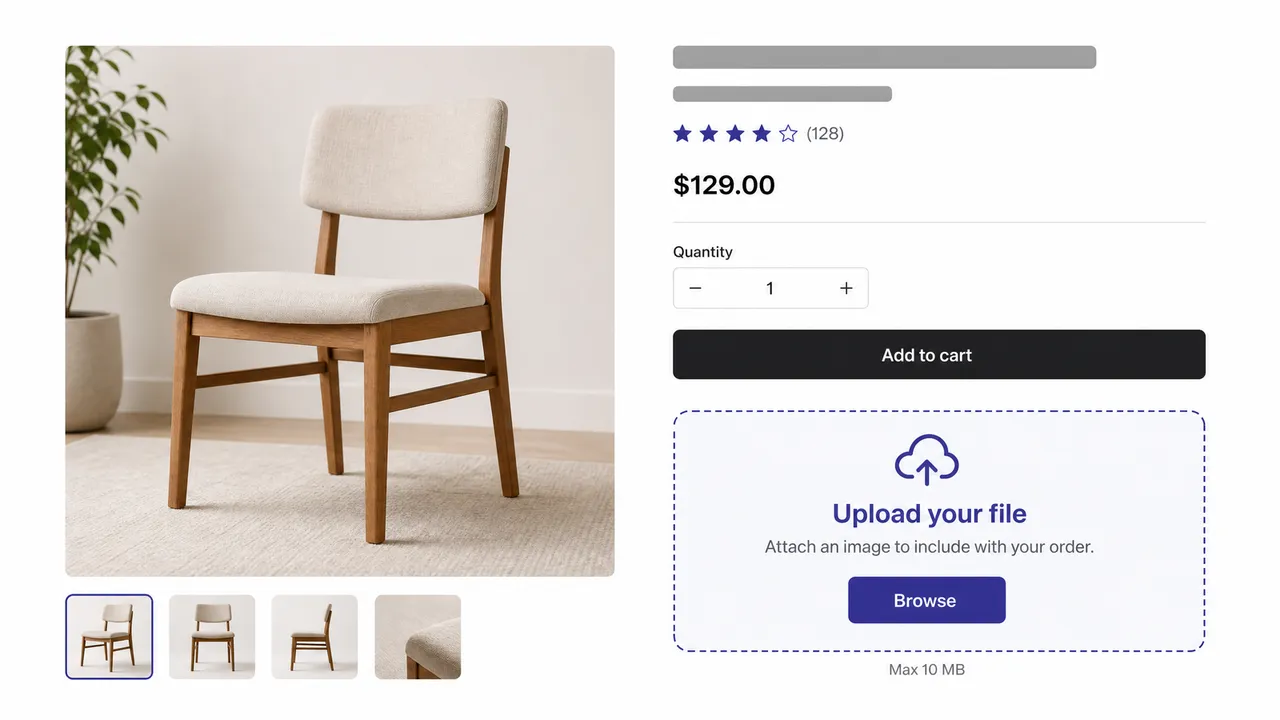
The upload field on a product page, styled to the theme.
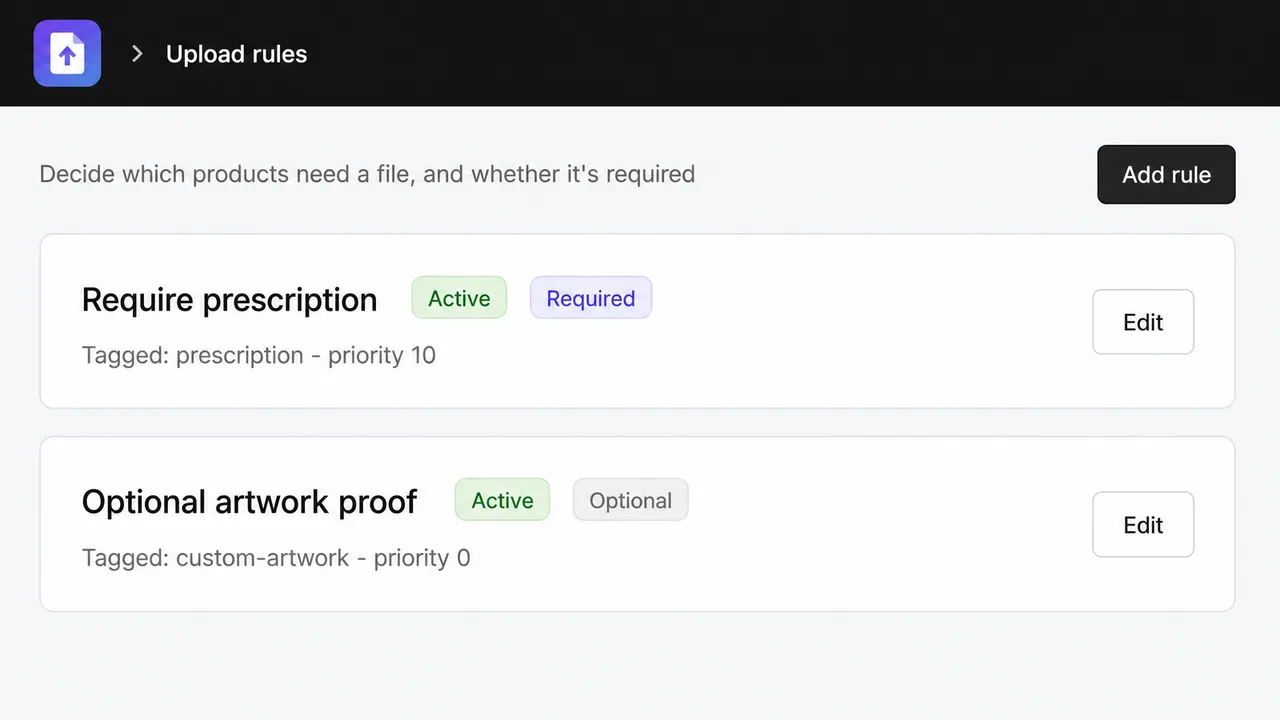
Show the field only where it matters — by product, tag, type, vendor or collection.
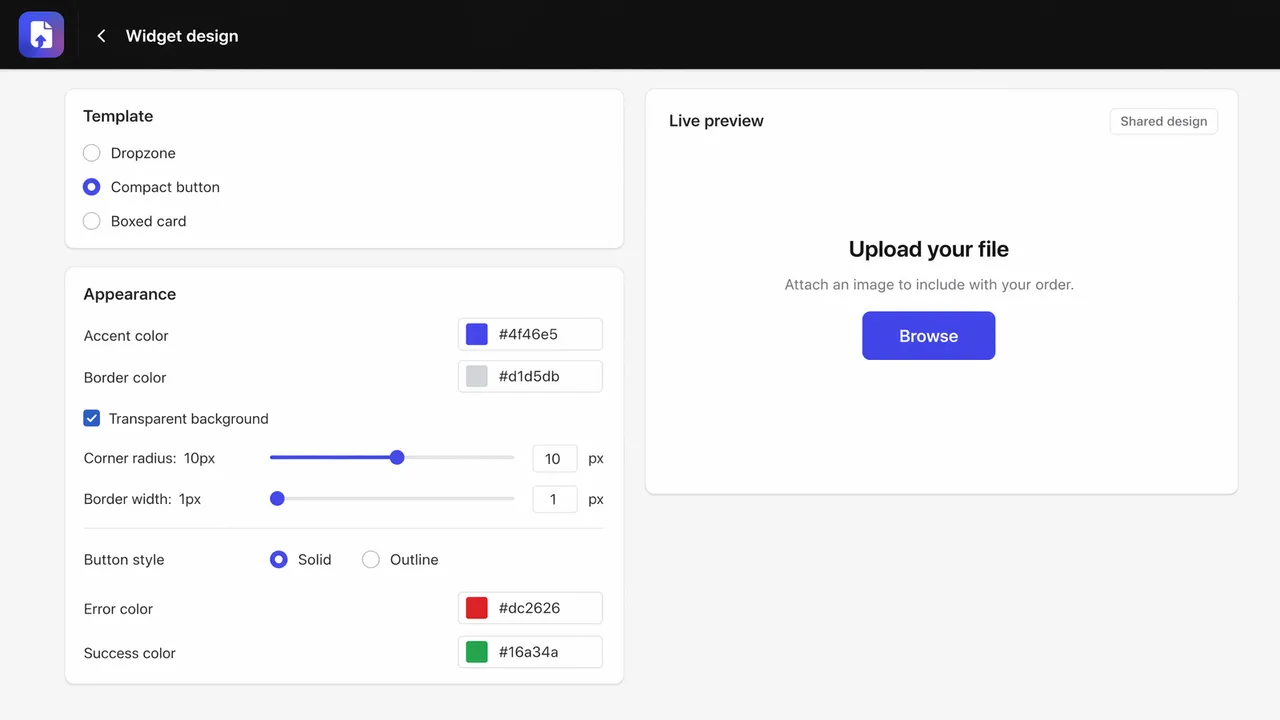
Colours, borders, radius and every piece of customer-facing text.
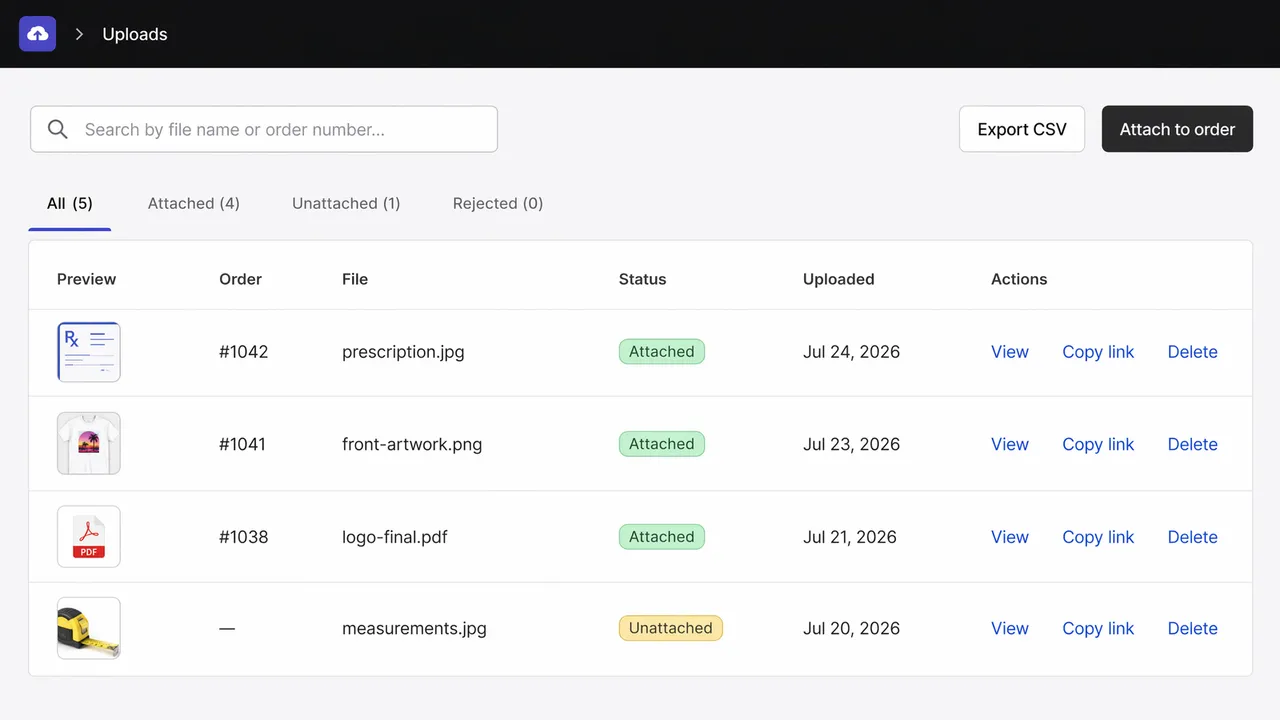
Every upload mapped to its order.
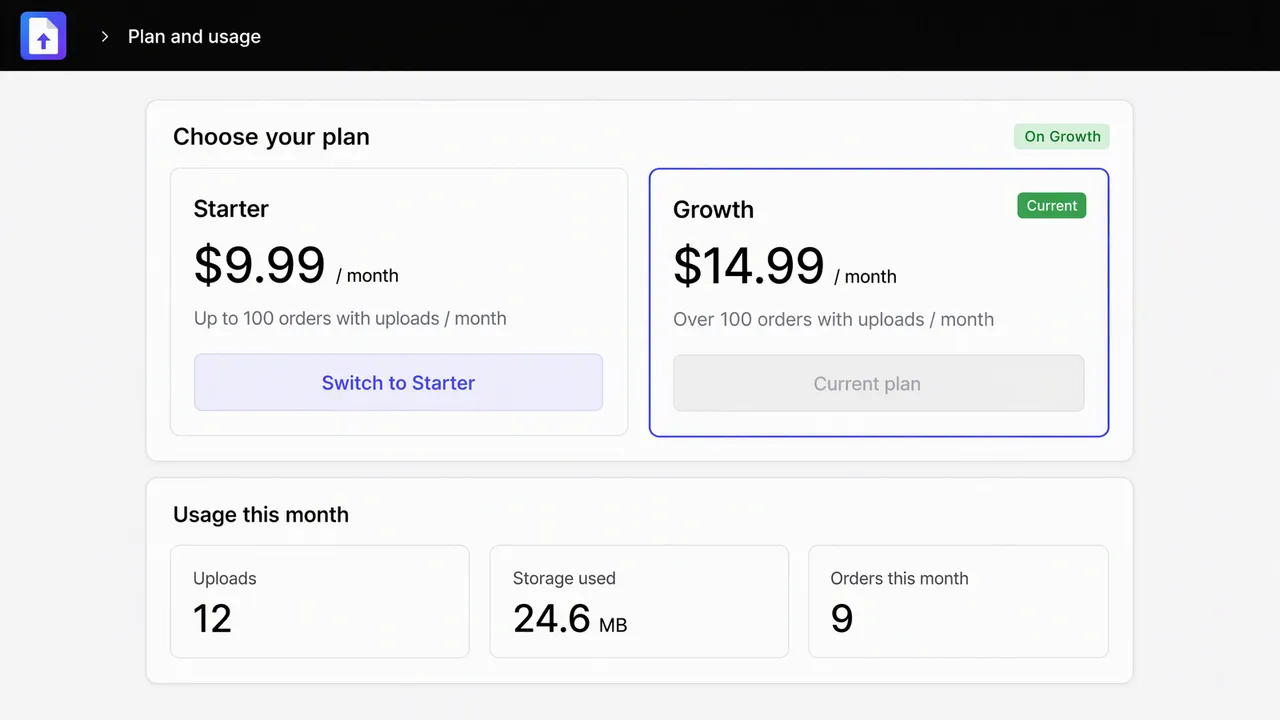
Plan and usage at a glance.
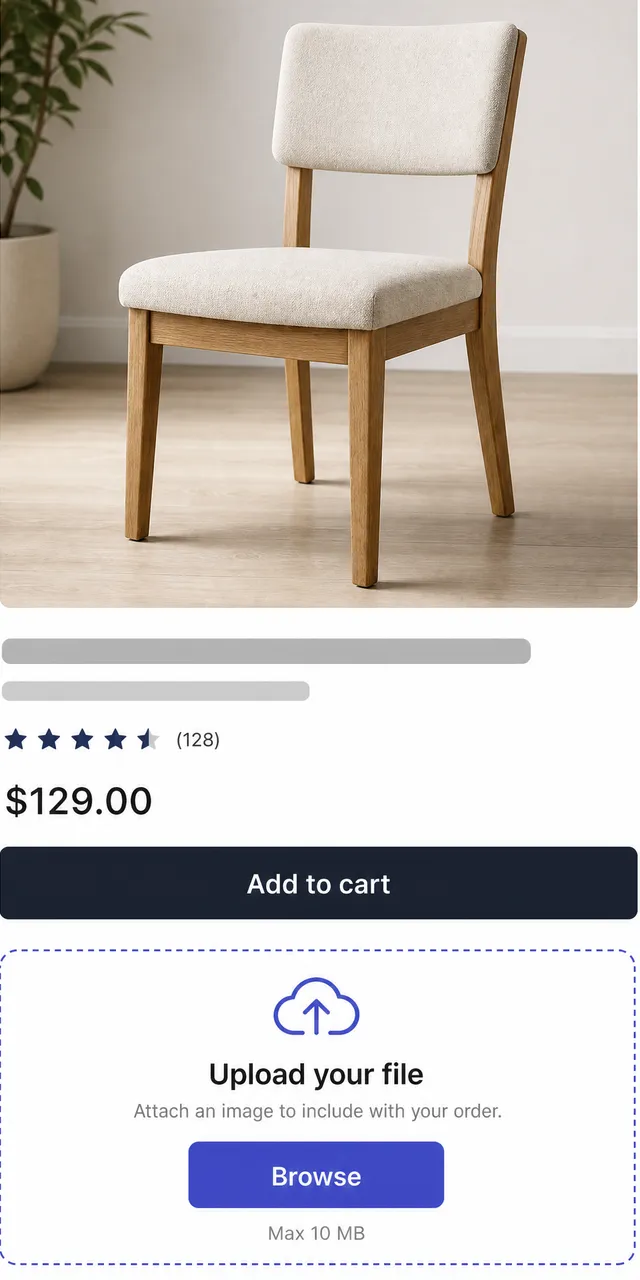
Works on mobile storefronts.
Built for
Works with
Requirements
Plans
Every paid plan starts with a 7-day free trial and is billed through Shopify, so it appears on your regular Shopify invoice. Development stores can select any plan at no charge to build and test before launch.
$9.99/ month
Up to 100 orders with uploads / month
$14.99/ month
Unlimited orders with uploads
7-day free trial on every paid plan. Cancel by uninstalling — nothing further is charged.
Built for the medical-supply and custom-print stores we work with, where an order without its document is a support ticket waiting to happen.
FAQ
Still unsure? Ask us directly — one human reply, no sales sequence.
In your own Shopify Files library, under randomised names. BurTech never keeps a copy.
Yes — every paid plan includes a 7-day free trial. You are not charged until it ends and can cancel anytime before then.
Yes. Open File Upload Pro in your Shopify admin and choose Plan & usage — Shopify prorates the change and it takes effect immediately.
They receive a secure, per-order link to add the file afterward, and you can attach a file to any order yourself from the admin.
7-day free trial, billed by Shopify, support from the engineers who built it.