AI Automation11 min readUpdated
12 Business Processes to Automate Before Hiring Your Next Employee
A headcount's worth of hours often hides in twelve repetitive processes. What each costs manually, what the automated version looks like, payback order — and the honest test for when to actually hire.
BurTech Solution
Engineering team
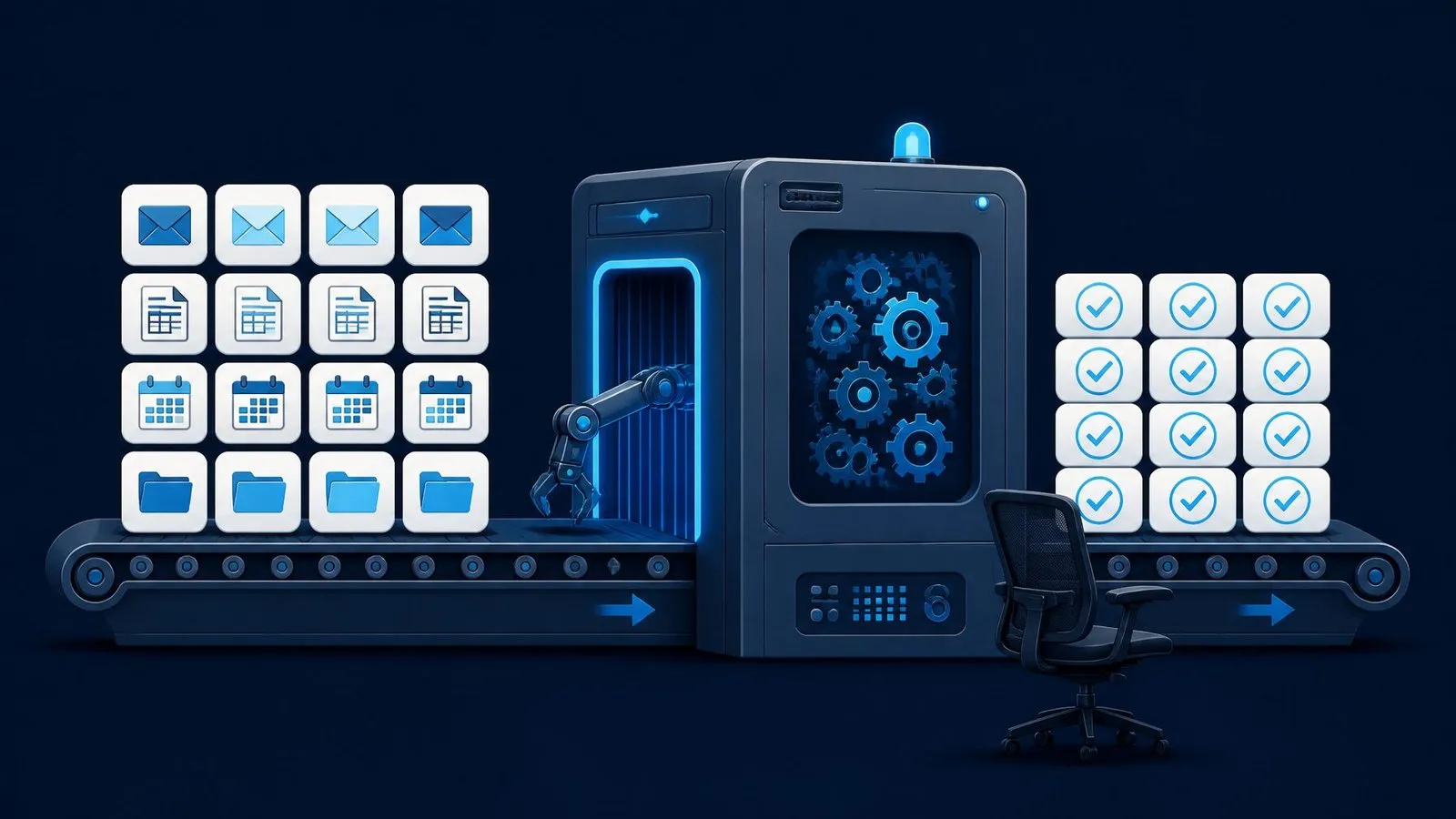
The most expensive sentence in a growing business is “we need to hire someone for this.” Sometimes it is true. But surprisingly often, the workload driving the hiring conversation is not a person-shaped problem — it is a pile of repetitive, rule-based tasks that accumulated one at a time until they consumed a headcount’s worth of hours. Automating that pile costs a fraction of a salary, never resigns, and frees the people you already have for the work that actually needs judgment.
Below are the twelve processes we see consuming the most hidden hours across the businesses we audit — each with what the manual version costs, what the automated version looks like, and how quickly it typically pays back. Work through them before you write the job ad; many teams find the new hire they needed was three pipelines and a better calendar.
1. Lead response and routing
The manual version: enquiries land in an inbox; whoever notices first (eventually) replies, looks the company up, and forwards it to whoever seems right. Response times swing from minutes to days — and speed-to-lead is one of the strongest predictors of whether an enquiry becomes a meeting.
Automated: the instant a form fires, the pipeline enriches the contact, scores it against your ideal profile, creates the CRM record, assigns the owner, notifies the channel, and sends a personalised acknowledgement. Every lead answered in seconds, forever. This is almost always the first thing we build because the revenue effect is visible within weeks.
2. Quote and invoice generation
Manual: copy details into a template, compute totals, export, attach, send, log — ten minutes of concentration per document, multiplied by every deal and every typo’s consequences.
Automated: a deal-stage change generates the document from CRM data, routes amounts above a threshold for one-click approval, sends and records it. Quotes go out the hour they are asked for; invoices stop leaking arithmetic errors into your accounting.
3. Order ↔ inventory ↔ accounting sync
Manual: the store, the 3PL and the books each hold their own version of the truth, reconciled by a person with two screens and patience. Errors here are not clerical — they are wrong shipments and phantom stock.
Automated: webhooks keep all three aligned in near real time, and a nightly job flags — not silently fixes — genuine anomalies. One version of the truth, and the human reviews exceptions instead of everything.
4. Customer status communication
Manual: “where is my order?” and “what’s the status of my project?” interrupt real work dozens of times a week, each answer requiring a lookup the customer could not do themselves.
Automated: proactive updates at every meaningful state change — shipped, delayed, delivered, milestone reached — plus an automated answer for the asked question. The enquiries do not get faster; they stop arriving.
5. Content production and publishing
Manual: blogs, social posts and product descriptions that depend on someone’s free afternoon — which growth reliably deletes. Publishing gets rarer exactly when visibility matters most.
Automated: a pipeline researches, drafts, and queues content on schedule; a human approves; the system publishes and cross-posts. It is our own product for a reason — per-output pricing starting at a few dollars per piece — and the compounding organic traffic is the closest thing marketing has to interest income.
6. Weekly reporting
Manual: screenshots, exports and spreadsheet surgery every Monday, assembling numbers that already existed. An hour of a capable person’s week spent being a clipboard.
Automated: the same numbers pulled on schedule, formatted identically, delivered before the week starts, with changes highlighted. Meetings begin at “why did this move” instead of “what is it.”
7. Appointment scheduling and reminders
Manual: the email tennis of “does Tuesday work?”, followed by the no-shows that an unmanned calendar invites.
Automated: a booking link honouring real availability, confirmations and reminders on schedule, rescheduling handled by the system, and no-show rates that drop the week reminders switch on. The least glamorous automation on this list and, for service businesses, frequently the highest single ROI.
8. Review and testimonial collection
Manual: everyone agrees reviews matter; nobody’s job is asking. Requests happen in bursts after someone reads an article about social proof, then stop.
Automated: a post-delivery or post-project trigger sends the ask at the moment satisfaction peaks, routes happy customers to Google and unhappy ones to a private form, and follows up once. Steady review flow is a systems property, not a personality trait — and it feeds every other channel, from your reviews section to AI answer engines weighing your reputation.
9. Data entry between systems
Manual: re-keying the same record into the CRM, the mailing list, the project tool and the spreadsheet — four chances to typo, one guaranteed drift.
Automated: enter once, propagate everywhere, with one system designated the source of truth per field. Data entry is the purest automation candidate that exists: zero judgment, pure repetition, error-prone by nature. We wrote the full cost math in our automation cost guide.
10. Email triage and first-line support
Manual: a shared inbox where everything from “where’s my order” to “I’m a supplier” to “refund me now” waits in one undifferentiated queue for a human to sort.
Automated: classification and routing on arrival, database-answerable questions answered automatically, everything else packaged with context for the right person — with anything emotional or exceptional escalated untouched. (Where inputs get genuinely messy, this is the natural first home for an AI agent.)
11. Payment follow-up
Manual: awkward, deferred, inconsistent — chasing invoices is the task everyone avoids, which is precisely why receivables age.
Automated: polite, firm, perfectly consistent reminders before and after the due date, escalating on a schedule you set once, pausing the moment payment lands. The system has no feelings about asking, so cash flow stops depending on courage.
12. Employee onboarding and internal checklists
Manual: every new hire, client kickoff or month-end close reinvented from memory, with the steps living in one veteran’s head.
Automated: the checklist as a pipeline — accounts created, documents sent, tasks assigned, progress visible — triggered by one event. The veteran’s memory becomes infrastructure, which is also your insurance for the day the veteran is on leave.
One caution as you sequence the list: resist the temptation to buy a mega-platform that promises all twelve in one subscription. The processes above live in different systems and fail in different ways; a portfolio of small, owned, monitored pipelines is more resilient — and dramatically cheaper to change — than a monolith whose pricing rises with your dependence on it. Twelve small machines, each with an off switch you control, beat one big machine with a subscription you cannot leave.
The payback order
| Tier | Processes | Typical payback | Why |
|---|---|---|---|
| Now | 1, 4, 7, 11 | Weeks | Directly touch revenue or cash flow |
| This quarter | 2, 3, 9, 10 | 1–3 months | Large steady hour savings, moderate build |
| Foundation | 5, 6, 8, 12 | Compounding | Value accrues monthly and never stops |
Sequencing advice from the field: pick one from the “now” tier and ship it completely — monitoring, runbook, owner — before starting the second. Two half-automated processes are worth less than one finished one, and the first finished pipeline teaches your team the operating habits every later one inherits.
Three mini-cases from the field
The agency that answered in eight seconds
A design agency ran its new business through a shared inbox. Average first response: nineteen hours — not because anyone was lazy, but because everyone assumed someone else had it. We shipped process #1 in a week: enrichment, scoring, routing, and an acknowledgement that included a booking link. First response fell to seconds, meetings booked from inbound roughly doubled within the quarter, and — the underrated part — the partners stopped doing triage at 11 p.m. The workload that “needed a business development hire” turned out to need a webhook.
The store that stopped apologising
An ecommerce brand reconciled store, 3PL and accounting by hand — five to seven hours weekly, plus the customer apologies every mismatch generated. Processes #3 and #4 together removed both: sync kept the systems agreeing, proactive status messages removed the “where is it” queue. The owner’s summary after a month: “we got a day back and the inbox went quiet.” The day went into product development, which is what owners are actually for.
The clinic that halved no-shows
A healthcare clinic booked by phone and hoped. Process #7 — online booking against real availability plus a two-touch reminder sequence — cut no-shows dramatically within the first month, which for an appointment business is pure recovered revenue, no marketing spend involved. The receptionist did not lose a job; she stopped being a human answering machine and started doing intake properly.
How to find your twelve: the one-week audit
- Log interruptions, not just tasks. For five working days, everyone keeps a running note of every repetitive task and every “quick question” interruption. No formatting, just capture. The pile is always bigger than anyone guessed.
- Tag each item with three letters: R (rule-based — could you write instructions a temp could follow?), F (frequent — 20+ times a week?), and C (consequential — does it touch money, customers or compliance?).
- Sort by R+F first. Rule-based and frequent is the automation sweet spot. Consequential items get automated too — with approval gates.
- Delete before you build. For each candidate ask: does this task need to exist at all? Audits routinely kill a third of the steps — reports nobody reads, approvals nobody remembers instituting. Automating a pointless task makes it faster, not less pointless.
- Estimate hours honestly (minutes × weekly occurrences ÷ 60) and put the number next to a salary. That comparison is the business case, complete.
A note on tools
Everything above is tool-agnostic on purpose. The scheduling and reminder tiers live happily in off-the-shelf products; the sync, triage and document tiers usually want an orchestrator (we default to self-hosted n8n for the flat economics); the content tier is our own workflow product. What matters more than the logo on the tool: every credential in your accounts rather than a freelancer’s, error alerts wired from day one, and a runbook a stranger could follow. Ownership and monitoring outlive every tool choice.
The honest hiring test
After the pile is automated, some workloads still genuinely need a person. The test is structural, not volumetric: hire when the remaining work requires judgment (negotiation, exceptions, taste), relationships (accounts, partnerships, community) or hands (anything physical). Do not hire because the inbox is full — empty the inbox with software first, then look at what is left. Businesses that run this order end up hiring later but better: the role that finally gets posted is a real job with judgment in it, not a human patch over missing plumbing — and it attracts correspondingly better candidates.
What “fully shipped” means: the definition of done
Half-finished automation is a liability wearing a productivity costume, so hold every pipeline — built in-house or bought — to the same definition of done before it counts as shipped:
- It ran in shadow first. The automation processed real events alongside the manual process until outputs matched for a full business cycle, including a weekend and a month-end if the process has one.
- It fails loudly. A deliberately broken test input produced an alert in a channel humans read within minutes — you watched it happen, you did not take it on faith.
- It has a runbook. One page: what it does, what to check when it misbehaves, how to run the process manually while it is down, who owns it.
- It has an owner and a review rhythm. A named person glances at the logs weekly — ten minutes that converts surprises into maintenance.
- The credentials are yours. Service accounts in your own systems, documented, revocable — never a builder’s personal logins, ours included.
Twelve processes, five checkboxes each. It reads bureaucratic and takes an afternoon per pipeline — and it is the difference between automation as compounding infrastructure and automation as the thing you tried once in 2026.
The objections, answered honestly
“Our process is too unique to automate.” Every business believes this; almost none are right about the whole process. The unique part is usually 20% — the judgment, the relationships, the taste. The other 80% is moving information between systems in patterns that repeat weekly, and that part is not unique, it is just yours. Automate the 80%, and your genuinely unique 20% finally gets full-time attention.
“We tried automation and it broke.” Interrogate that memory and it is almost always one of three stories: no error alerting (it broke silently and burned trust), no owner (nobody maintained it), or automated chaos (the process itself was broken and the automation faithfully reproduced the chaos, faster). All three are operating failures, not technology failures — and all three are prevented by the runbook-owner-alerts discipline this article keeps repeating, because it is genuinely the whole game.
“Our team will resist it.” Teams resist automation that threatens them and embrace automation that serves them. The framing that works is honest because it is true: nothing on this list automates a person; every item automates the part of a person’s day they complain about. Start with the task your team hates most — the Monday report, the invoice chasing — and the second pipeline gets requested rather than resisted.
“We don’t have time to set this up.” The tasks eating your time are the reason there is no time — that loop does not exit on its own. This is exactly what outsourcing a scoped build is for: your team spends a few hours in discovery interviews, not weeks in configuration screens, and the pipeline arrives with the operating discipline pre-installed.
Can automation help with hiring itself?
Fittingly, yes — process #12 wraps around recruitment too: application intake and acknowledgement, interview scheduling (process #7 wearing a different hat), reference-check chasing, and onboarding checklists from the moment of yes. The hire you eventually make onboards through the very system that delayed the need for them.
The compounding effect nobody budgets for
Each pipeline on this list is justified by its own arithmetic — hours saved times loaded cost. But the businesses that automate systematically report a second-order effect that never appears in the spreadsheet: the pipelines start feeding each other. The lead-routing pipeline (#1) fills the CRM cleanly, which makes the quote generator (#2) trustworthy, which makes payment follow-up (#11) automatic, which makes the weekly report (#6) accurate without anyone massaging numbers. Data entered once flows everywhere; every process downstream of a clean source gets cheaper to automate than the one before it.
The reverse compounding is just as real and is the state most growing businesses are actually in: dirty CRM data makes every downstream report suspect, so humans double-check everything, so automation “doesn’t work here.” The first pipeline you ship is therefore worth more than its own math — it is the down payment on every subsequent one. Which is one more reason to start with one process and finish it completely, rather than sprinkling half-automation across six: you are not just saving those hours, you are laying the rail the next eleven run on.
The bottom line
A hire is the right answer to a judgment-shaped problem. A pipeline is the right answer to a repetition-shaped one. Most growing businesses are carrying a headcount’s worth of repetition — audit it, automate it in payback order, and make your next hire for the work only a person can do.
Frequently asked questions
What does it cost to automate one of these?
Scoped single-workflow builds start at $1,500 and ship in one to three weeks, with 30 days of fixes included. Against the loaded cost of even a part-time hire, the arithmetic is rarely close — details on our AI automation page.
We already use Zapier for some of this. Should we rebuild?
If it works and volume is modest, keep it. Rebuild when flows need branching, volumes grow into per-task pricing pain, or a workflow has become business-critical enough to deserve designed error handling — the full decision framework is in n8n vs Zapier.
How do we keep automations from silently breaking?
Three habits: error alerts to a channel humans actually read, a one-page runbook per pipeline, and a named owner who reviews the logs weekly. Ten minutes a week per pipeline, and failures become Tuesday fixes instead of month-end discoveries.
Which one should we genuinely do first?
If you sell anything: lead response (#1). If you are service-based with a calendar: scheduling (#7). If cash flow is tight: payment follow-up (#11). All three touch money directly, ship in days-to-weeks, and build the organisational confidence the longer list depends on.
How long does the full list take to work through?
At the sustainable pace of one properly-shipped pipeline every two to three weeks — built alongside normal operations — the full twelve is a six-to-nine-month program. Most businesses stop needing the whole list: by pipeline five or six the hiring pressure that started the conversation has usually dissolved, and the remaining items get built when their moment comes. The list is a menu, not a mandate; the discipline — audit, payback order, definition of done — is the part that has to be complete.
Which business process should be automated first?
For anyone selling: lead response and routing. For service businesses with calendars: scheduling and reminders. For tight cash flow: payment follow-up. All three touch money directly and ship in days to weeks.
When is a task worth automating?
When it is rule-based, repetitive and happens roughly 20 or more times a week — frequent enough that setup costs amortise within months.
When should you hire instead of automate?
When the remaining work requires judgment, relationships or physical hands — the things automation is structurally bad at. Empty the inbox with software first, then hire for what is left.
Written by
BurTech Solution
Engineering team
The BurTech Solution engineering team designs, builds and maintains AI automation, ecommerce stores, SaaS and custom software for growing businesses. Everything on this blog comes from work we ship for clients and run ourselves.
Keep reading
More on ai automation.

AI Automation10 min read
Email Automation Beyond Newsletters: Lifecycle Flows for Service Businesses
The newsletter was never the machine. The six lifecycle emails that move service revenue — enquiry, quote, onboarding, delivery, close and dormancy — with timing, human gates, and the event wiring underneath.
Read the article →
AI Automation9 min read
Webhooks Explained for Non-Developers: The Glue Behind Modern Automation
A webhook is a doorbell between apps: push instead of poll. The full plain-English model — events, endpoints, payloads — plus failure handling, security questions worth asking, and where webhooks sit in your automations.
Read the article →
AI Automation9 min read
How to Choose Your First CRM (and Wire It So It Stays Clean)
First CRMs fail by over-buying or under-wiring. The four requirements that outrank feature grids, the shortlist logic, the automation that makes adoption automatic, and the hygiene that keeps the data trustworthy.
Read the article →